
Fast delivery within 72 Hours
Biamp Canvas Software Create and use customized control screens for the Tesira family of audio products
Key Features
- Create system control surfaces for PC/touch-screen
- Place controls and assign them to system functions
- Copy controls directly from system design objects
- Customize control layout, function, and appearance
- Uses a staged workflow to guide system designers and installers
- Control support for room combiners
- Create/navigate multiple pages of operation
- Restrict access to controls/pages via passwords
- Works simultaneously with other system controls
- Drag and drop programming
- Update preset settings directly in Biamp Canvas
Shipping & Delivery
-
Courier delivery
Our courier will deliver to the specified address
2-3 Days
From $20
-
DHL Courier delivery
DHL courier will deliver to the specified address
2-3 Days
From $40
-
Warranty 1 year
-
Free 30-Day returns
Black Friday Blowout!
Specification
Overview
Processor
Display
RAM
Storage
Video Card
Connectivity
Features
Battery
General
Description
Biamp Canvas Software
Create and use customized control screens for the Tesira family of audio products.
Key Features
- Create system control surfaces for PC/touch-screen
- Place controls and assign them to system functions
- Copy controls directly from system design objects
- Customize control layout, function, and appearance
- Uses a staged workflow to guide system designers and installers
- Control support for room combiners
- Create/navigate multiple pages of operation
- Restrict access to controls/pages via passwords
- Works simultaneously with other system controls
- Drag and drop programming
- Update preset settings directly in Biamp Canvas
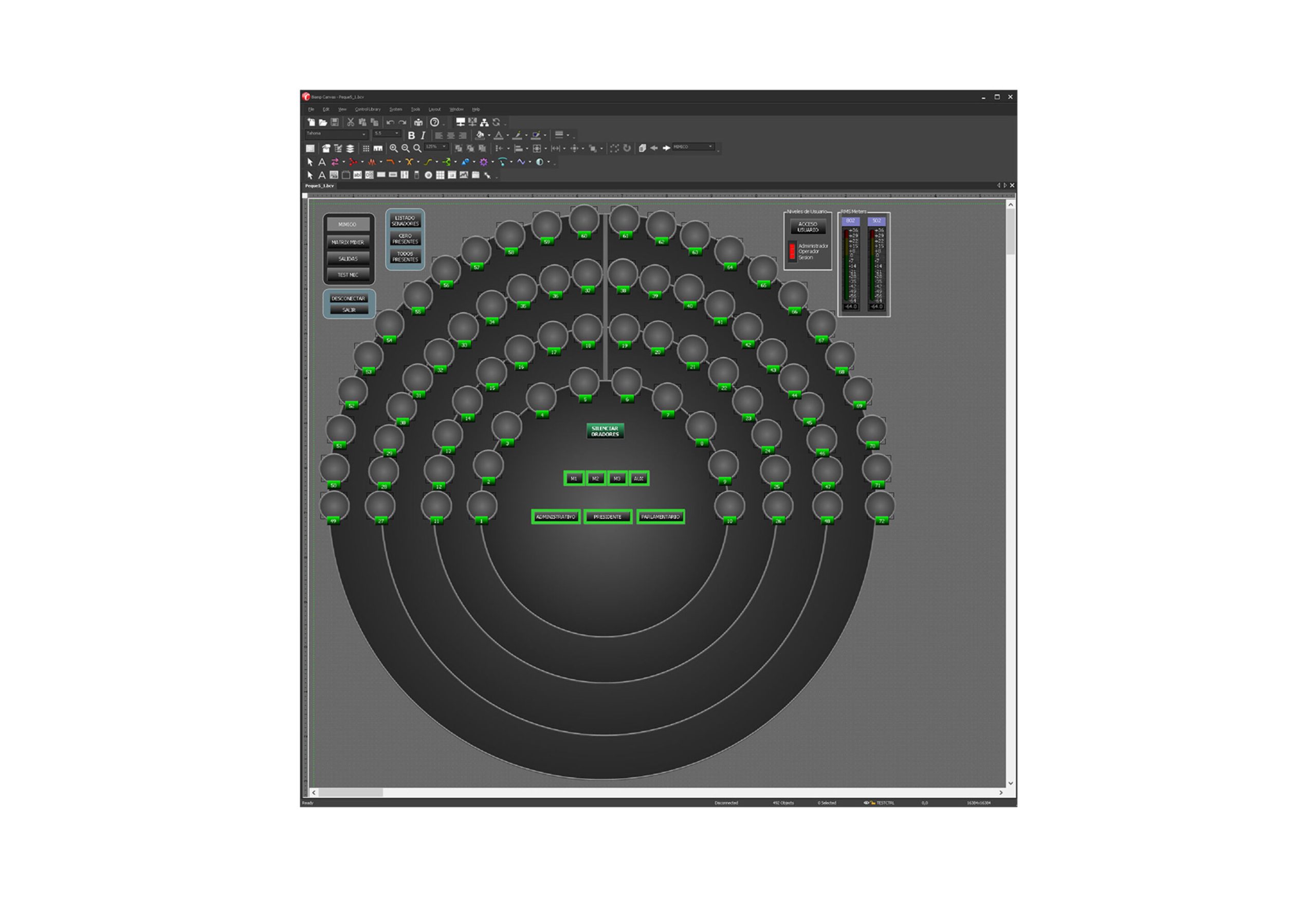
Biamp Canvas design and control software enables you to efficiently create and use customized control screens for the Tesira family of audio products. Biamp Canvas provides a flexible graphic control interface that can be tailored to meet the exact needs of the installation environment. With drag-and-drop functionality, you can place objects directly from the system design file into the software, creating pre-assigned control surfaces. Also included in the software is a variety of drawing tools for customized graphic manipulation of controls, backgrounds, and labeling.